
Track Claude Code and Codex Usage With Open-Source Syrtis
Syrtis is a free, open-source macOS menu bar app that shows tokens, cost and quota for Claude Code, Codex and 25+ AI coding tools. Features, install, caveats.
Data checked: September 29, 2026. This article is based on the Syrtis GitHub project (the README and the v2.2.0 release notes). We have not installed or used it ourselves, so everything described as "the project says" is the author's own description.
If you use AI coding tools like Claude Code, Codex or Cursor, you probably wonder how many tokens you used today, what it cost, and how much of your subscription quota is left. Syrtis is a free, open-source macOS menu bar app built to answer that.
The short version
- What it does: it reads the session logs your AI tools already write to disk and shows today's token count, total cost, live tokens per minute, or remaining subscription quota in the menu bar.
- Coverage: the project says it supports 25+ tools, including Claude Code, Codex, Cursor, OpenCode, Gemini CLI, Copilot, Kiro and Antigravity.
- Privacy: the README says everything runs on-device, with no Dock icon, no telemetry, no account and no cloud sync. Its quota cards do need you to sign in to your subscription accounts (OAuth), so weigh that before installing.
- License: MIT, free to use and modify. As of the check date it has 381 stars on GitHub, was created in June 2026, and the latest release, v2.2.0, shipped on September 28, so it is actively maintained.
- Requirements: an Apple Silicon Mac on macOS 14+ (the Liquid Glass look needs macOS 26). A Windows companion, Syrtis-Windows, is also MIT-licensed and shares the same Rust core.
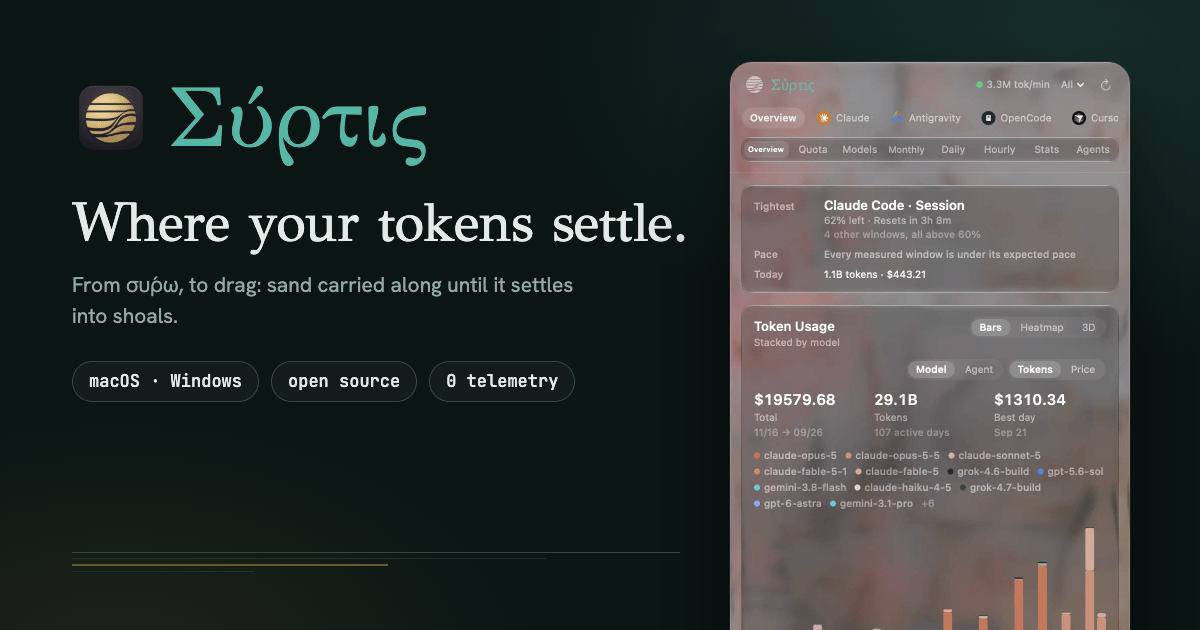
Image: the Syrtis README hero image (source: Nanako0129/syrtis, MIT license). The screen shows the author's own usage, not typical numbers.
What you can see
The project says the menu bar title can show today's tokens, total cost, live tokens per minute, or remaining subscription quota, drawn as signal bars, a progress ring, or a popsicle that melts as the window drains. The cat icon in the menu bar spins faster the more tokens you burn.
Clicking the icon opens a panel. Tabs filter which tools to inspect, and a view switch breaks usage down in eight ways: Overview, Quota, Models, Monthly, Daily, Hourly, Stats and Agents, plus a 3D graph of a full year of activity. Quota cards include pace projections (when the allowance is likely to run out), a live session trace and activity streaks.
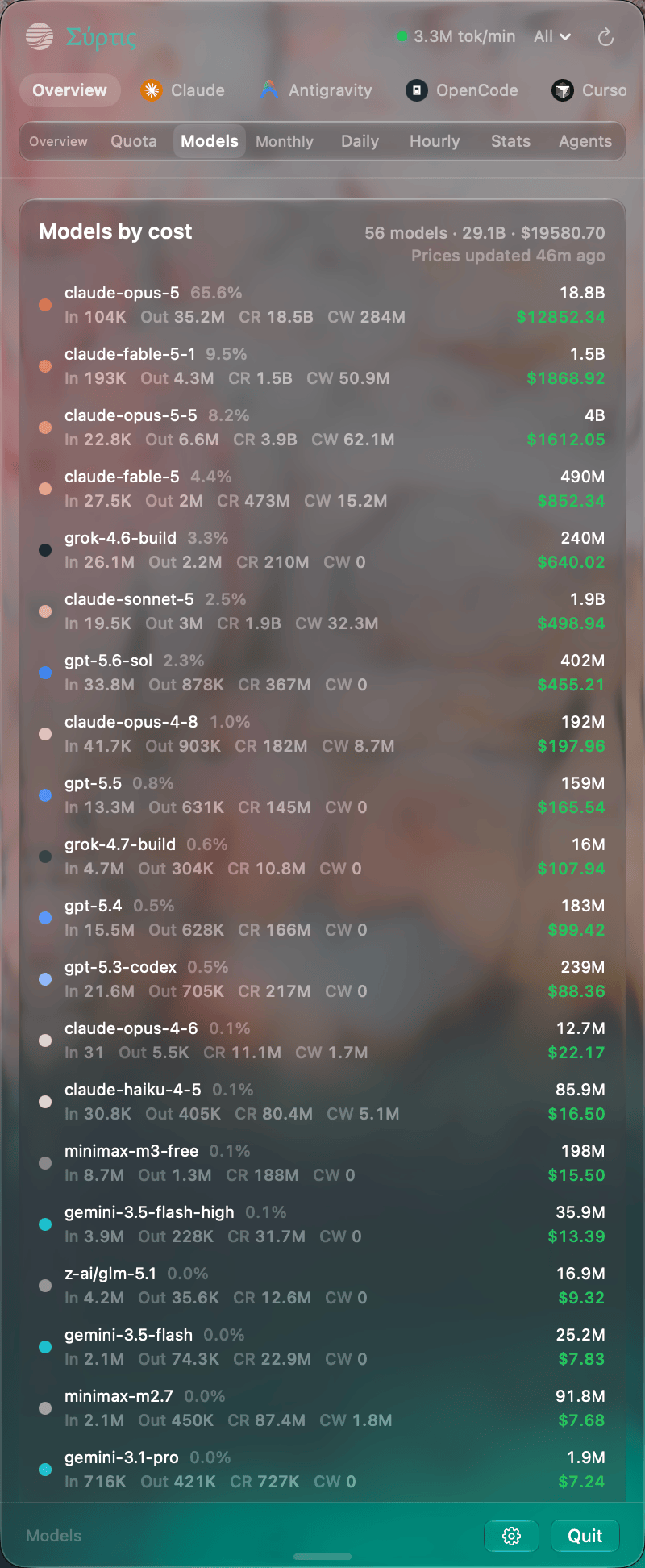
Image: Syrtis "Models" view, ranked by cost (source: Nanako0129/syrtis, MIT license; the screen shows the author's own usage).
Install
The README's method:
brew install --cask nanako0129/tap/syrtis
You can also download a DMG from GitHub Releases and drag it to Applications. The app updates itself with Sparkle, and betas are an opt-in channel in Settings.
What is new in v2.2.0 (September 28)
According to the release notes:
- Releases are signed with a Developer ID and notarized by Apple, so macOS opens a downloaded copy without a Gatekeeper warning.
- Every release now carries an installer DMG.
- A new animated menu bar icon, "Sand shoal", and a new animation speed curve with a pace setting you can choose in Settings.
- First-run setup cards on the Overview cover which tools get a tab, the icon and text, and starting at login.
- With no quota reading the gauge no longer looks like a full allowance, and an old reading's title turns grey.
Things to check before you use it
These are our notes, not the project's claims.
- Cost is an estimate. It is computed from local logs and a built-in price table, so it may not match your real bill. If you pay per API key, use the provider's usage page for actual charges. On BazaarLink, see the usage dashboard.
- Quota cards need a sign-in. The README says live quota needs real OAuth or subscription accounts. Read the source and docs before deciding whether to grant that.
- It reads your session logs. Those can contain code and prompts. Processing only on your machine is the project's stated design, and you can inspect the source yourself.
- We have not tested it. The features and changes above come from the project's documentation. Install it and verify the experience yourself.
Who it suits
- People who use several AI coding tools every day and want tokens and quota at a glance.
- People on subscription plans with rolling or weekly limits who want to see when they will run out.
- People who like open source and want to read the code.
FAQ
Does Syrtis cost money?
It is free, open-source software under the MIT license. The README links a Patreon for voluntary support.
Does it support Windows?
The main project is a macOS app. A separate Windows tray version, Syrtis-Windows, is also MIT-licensed and uses the same Rust core.
Does it send my data to the cloud?
The README says there is no telemetry, no account and no cloud sync, and everything is on-device. Quota cards query each service for your subscription allowance, which needs an OAuth sign-in.
What was it called before?
The README says that before version 2.0 the macOS app was called TokenBar, and upgrading keeps your settings, history and login item.
Sources and license
- Project: Nanako0129/syrtis (MIT License, Copyright (c) 2026 Nanako), v2.2.0 release notes, project site
- Windows version: Nanako0129/Syrtis-Windows
- Images are taken from the project README under the MIT license with the source credited. Third-party tool names and logos in the images belong to their owners.
TWD billing · Taiwan invoices · leading AI models · OpenAI-compatible API